HR Workflow Automation
A redesign of the HR workflow builder, reframing it around HR native language, ready made templates, and AI assisted creation so HR admins can automate onboarding, leave, and offboarding without a blank canvas.
Role
Product Designer
The problem
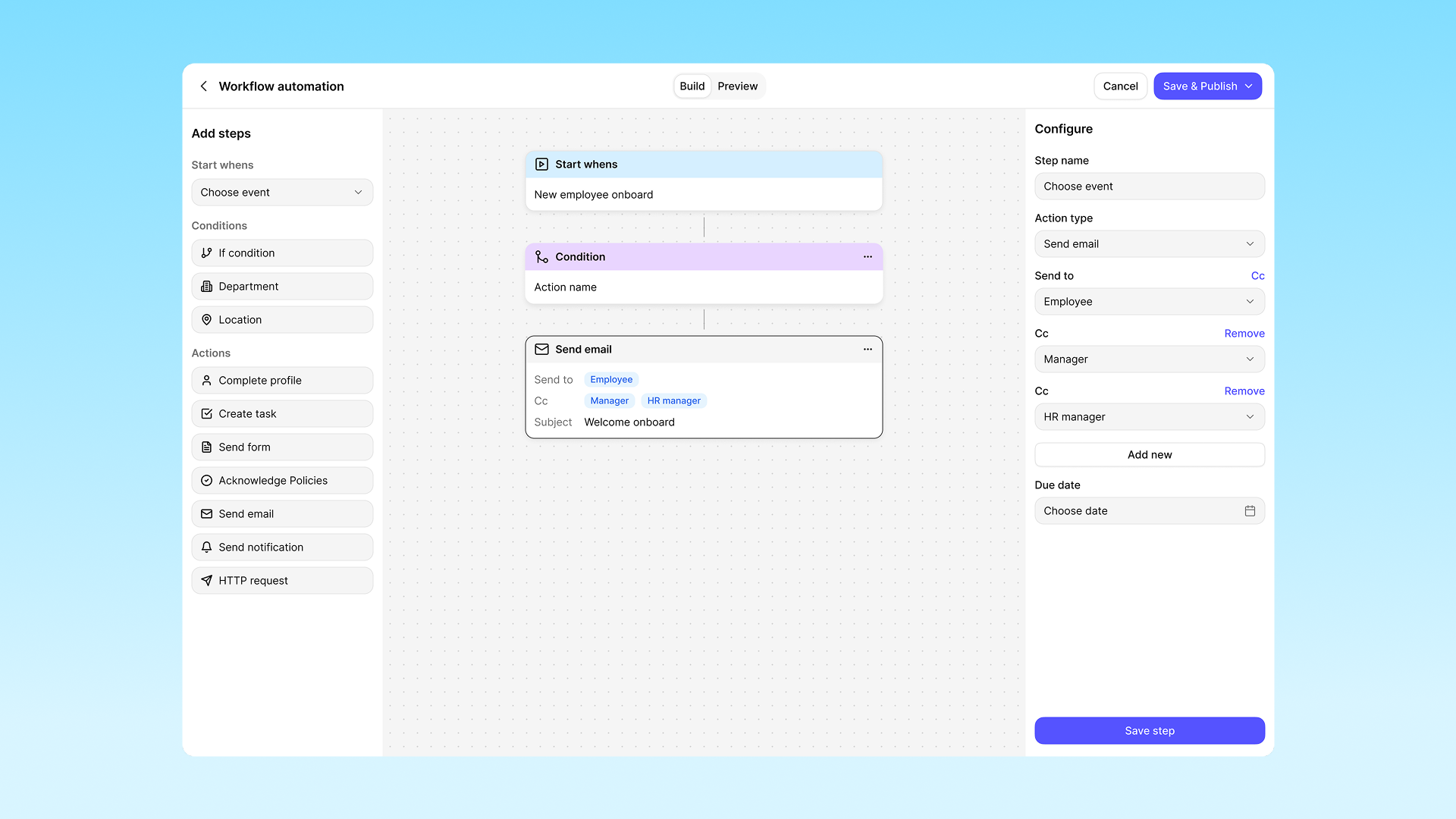
The workflow builder lets HR teams automate the processes they run every day, such as onboarding, offboarding, and leave management. It is the first value moment in the product, so it drives activation, reduces manual HR workload, and shapes long term retention.
But HR admins struggle to create a workflow at all, which blocks them from reaching that core value. The current builder speaks in system oriented language and opens on a blank canvas, a model that does not match how HR admins actually think or work.
Technical terminology
Terms like “trigger” and “action node” are language HR users don’t recognize, increasing cognitive load.
Blank-canvas entry
Starting from nothing gives users no foothold, which causes decision paralysis and high drop-off.
No AI assistance
Users have to already know exactly what they want before they can build it.
Define and remind the team about target user
The primary user is a non-technical HR admin responsible for people operations. They think in everyday scenarios and tasks, not abstract logic flows.
Solution
01
Translate system language to HR language
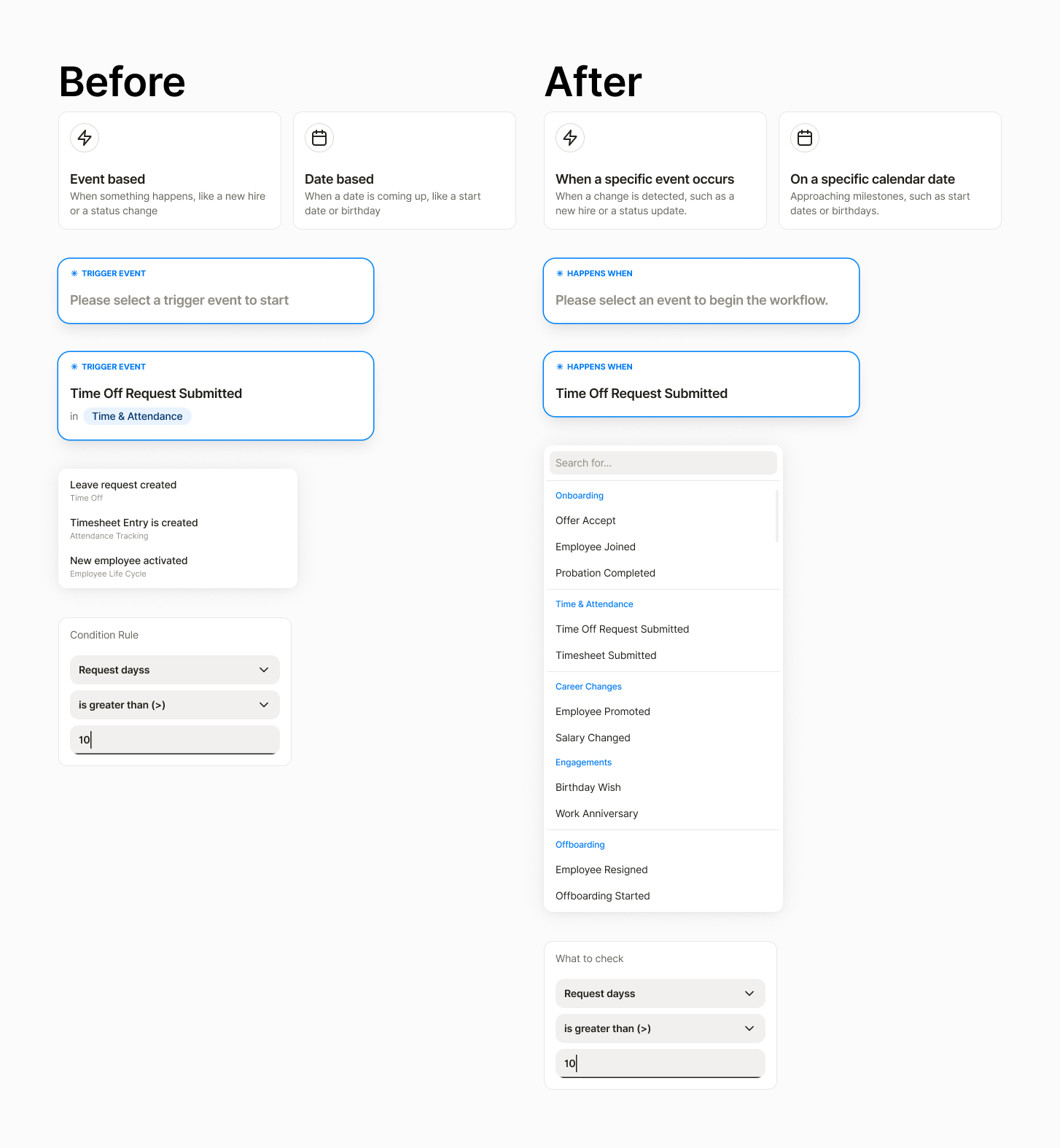
Replace system terms with human readable prompts and group them by HR scenario rather than trigger type. This aligns the interface with the user’s mental model, cutting cognitive load and decision time.
02
Template first entry
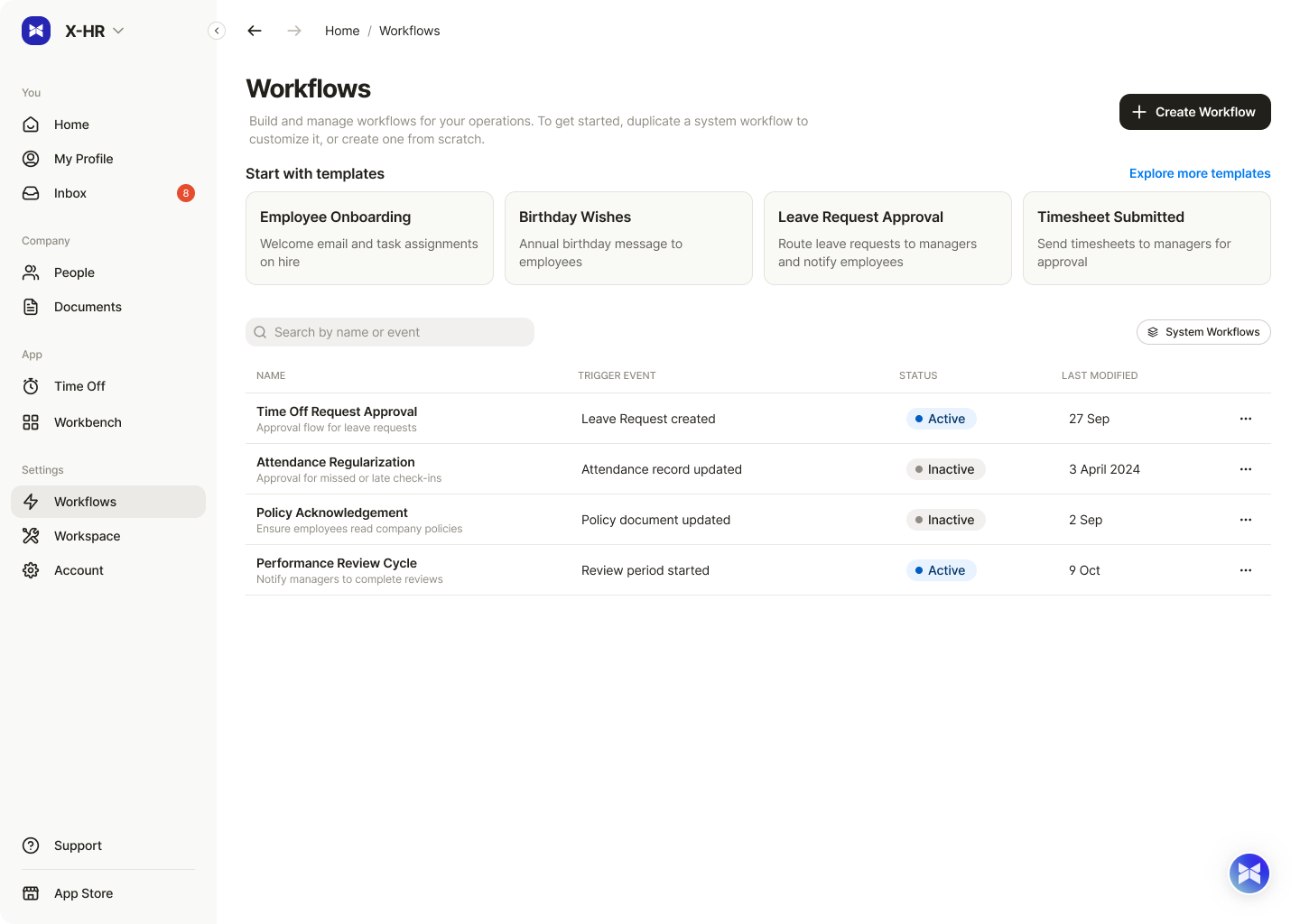
Surface predefined workflow templates — Onboarding, Offboarding, Leave Request — as the primary entry point, with the blank canvas kept as a secondary option. Users start from a familiar, real scenario instead of an abstract canvas, which removes the blank-state problem.
03
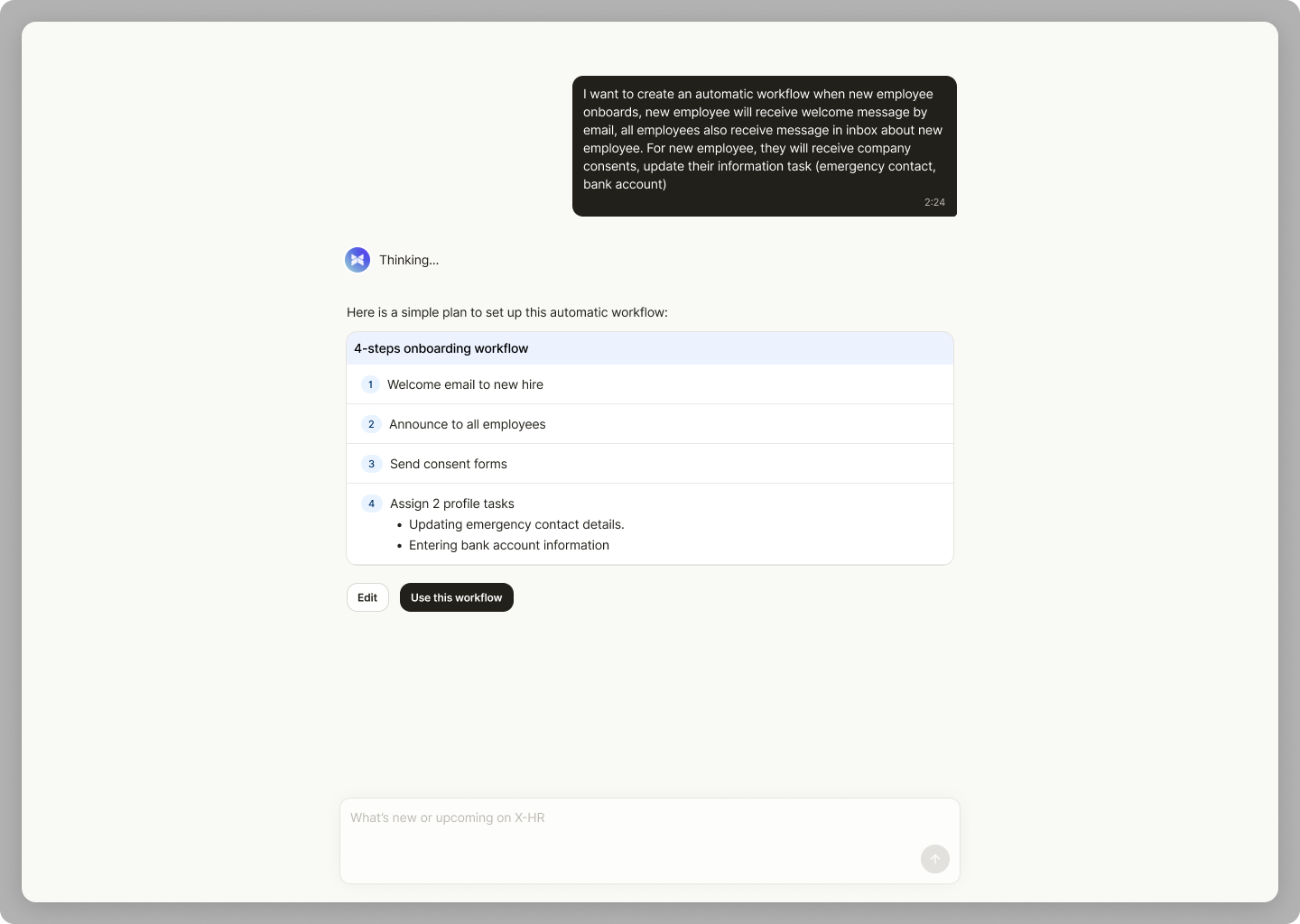
AI assisted creation flow
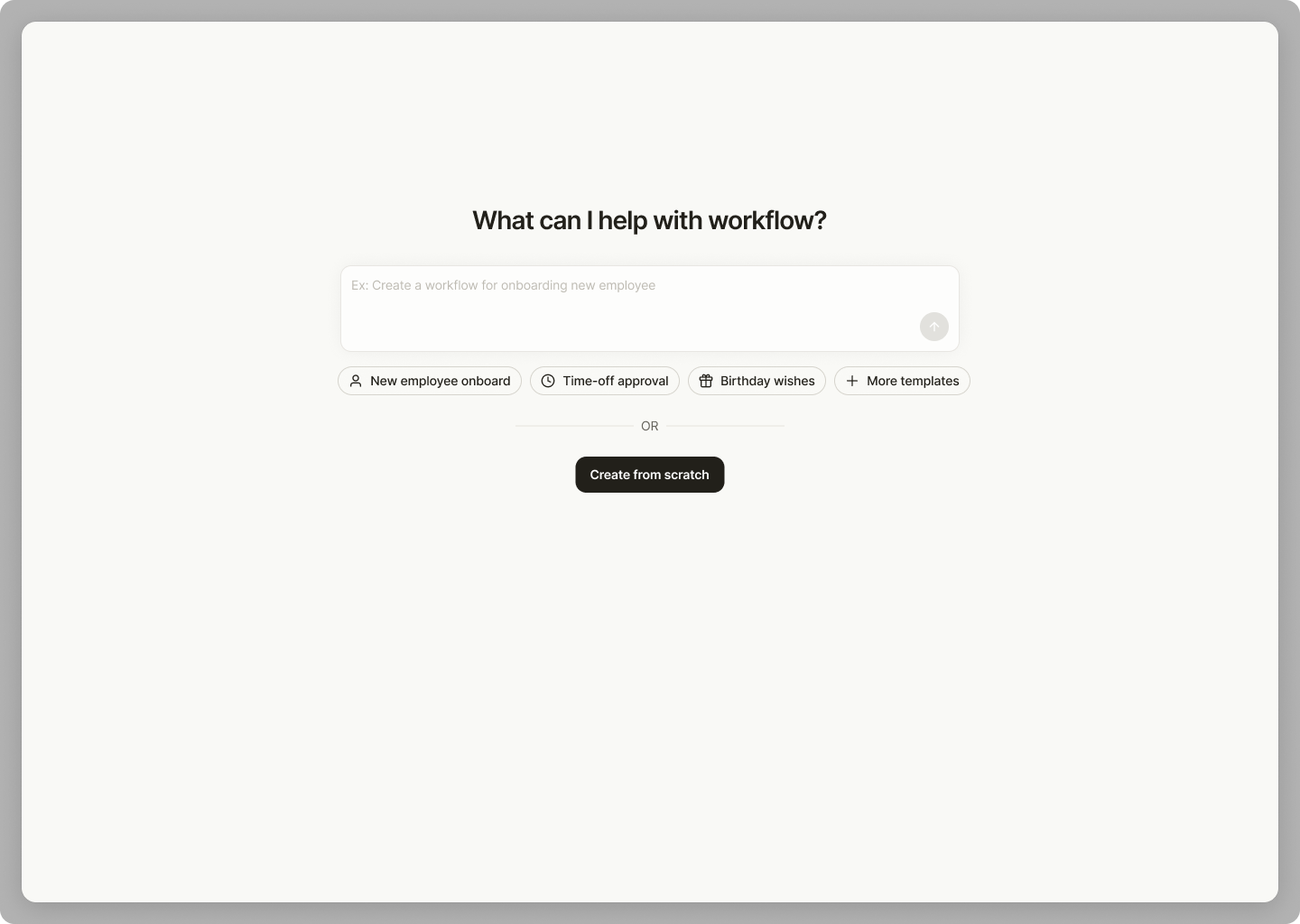
Users describe a workflow in natural language and AI generates a draft to review and edit. This lowers the knowledge barrier for people who don’t know where to start and speeds up setup for common cases.
Outcome & impact
Stakeholders signed off on the solutions across the board. The full redesign went into the backlog since engineering didn't have the bandwidth right now,
Takeaway
This one showed me why it pays to dig past the obvious problem. Instead of patching one broken onboarding flow, I reworked the whole builder to match how HR admins mental model. Turning a single clunky path into three clear ones (templates, AI, or a blank canvas).